Run your entire card business from one connected platform.
CardCipher helps sellers scan, organize, price, list, locate, sell, and fulfill trading cards across Magic: The Gathering, Pokémon, One Piece, Flesh and Blood, Disney Lorcana, Digimon, Dragon Ball, and other major TCGs. Manage TCGplayer and ManaPool workflows without rebuilding your operation in spreadsheets.
- Scan cards from photos, camera captures, image uploads, and PDFs, then review and stage them before inventory commit.
- Use Chaos Containers to assign physical locations, capacities, and pull-list positions so every card is easier to find.
- Coordinate pricing, marketplace quantities, transactions, expenses, earnings, alerts, pull lists, and shipping from one system.
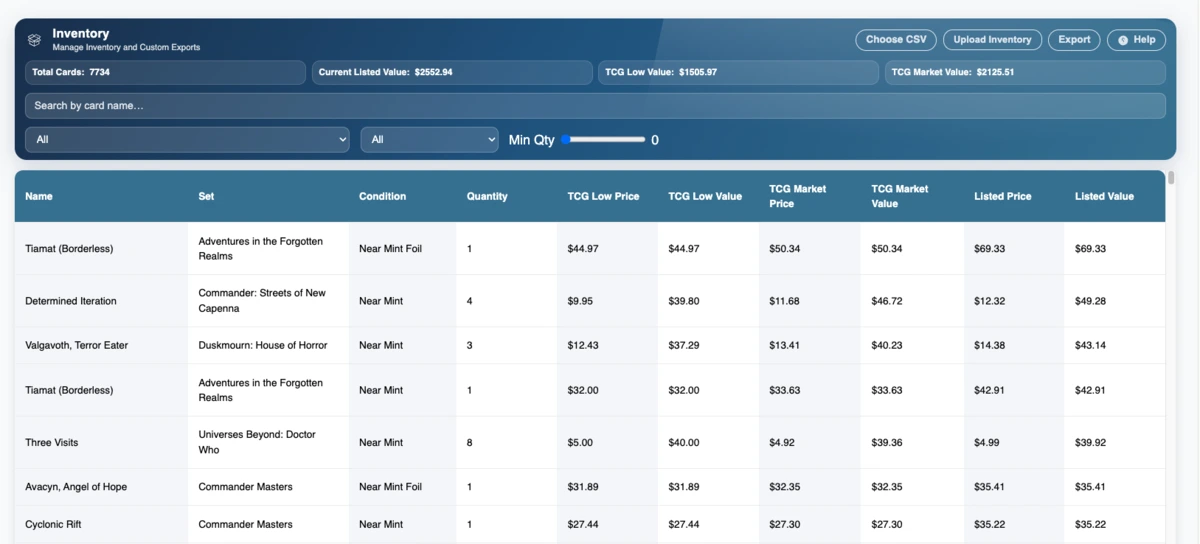
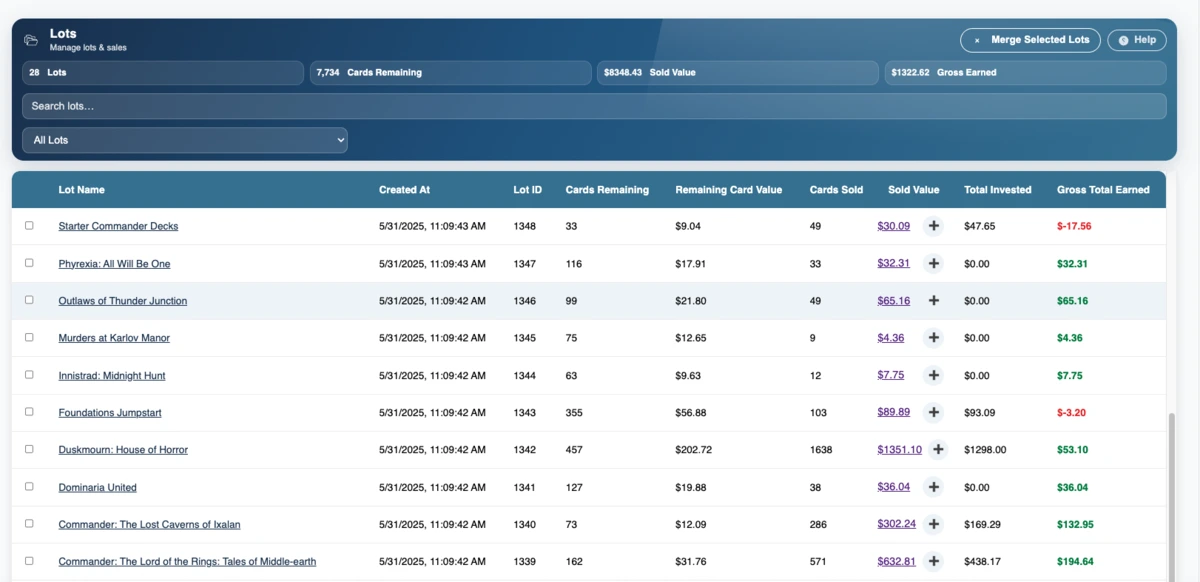
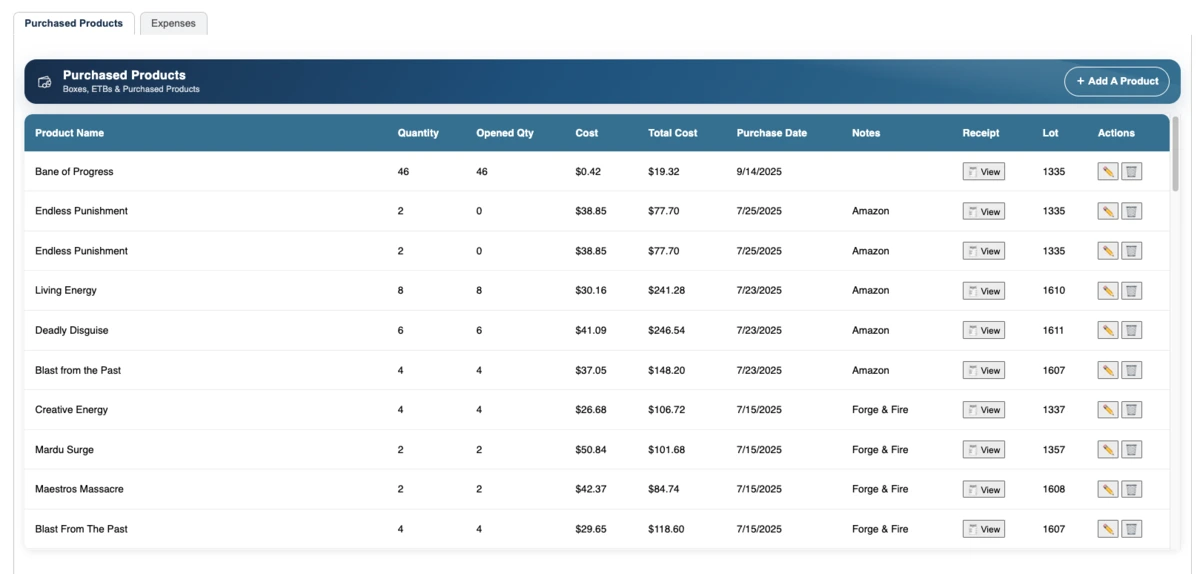
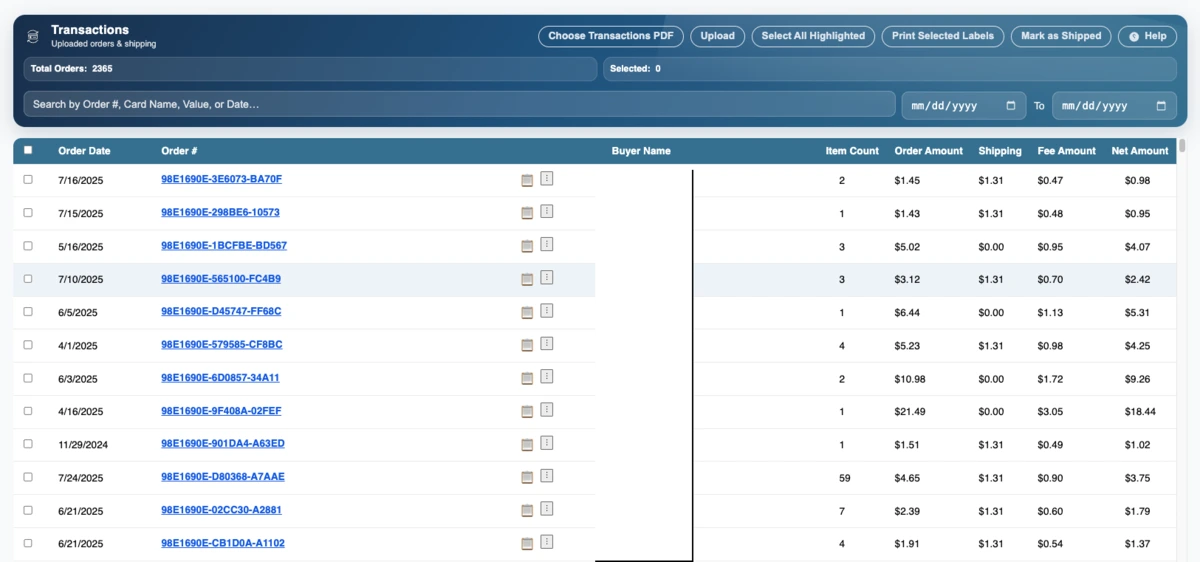
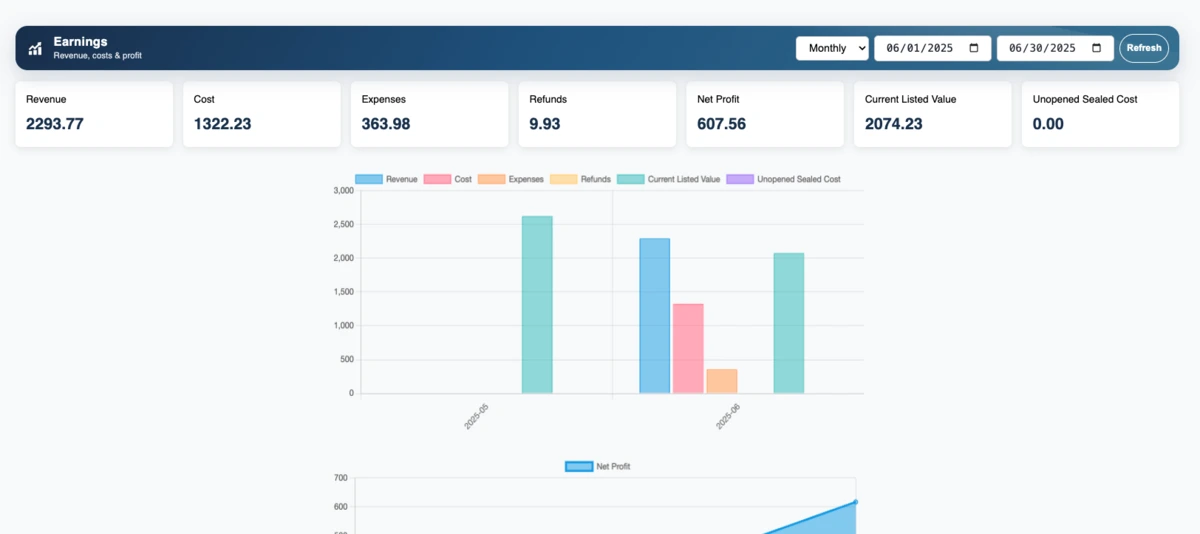
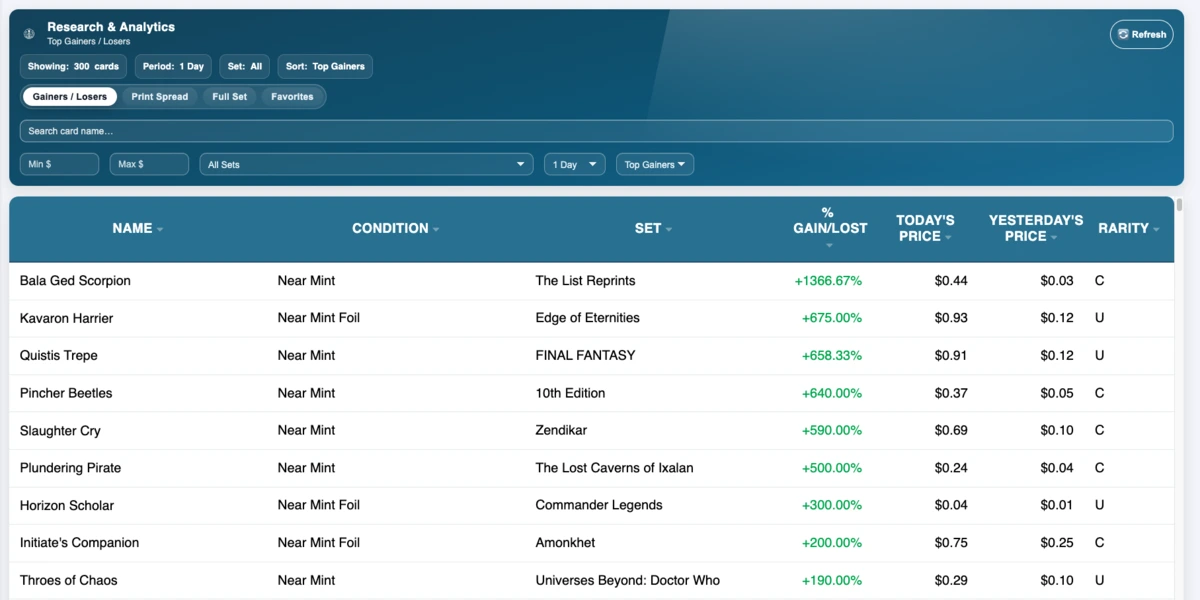
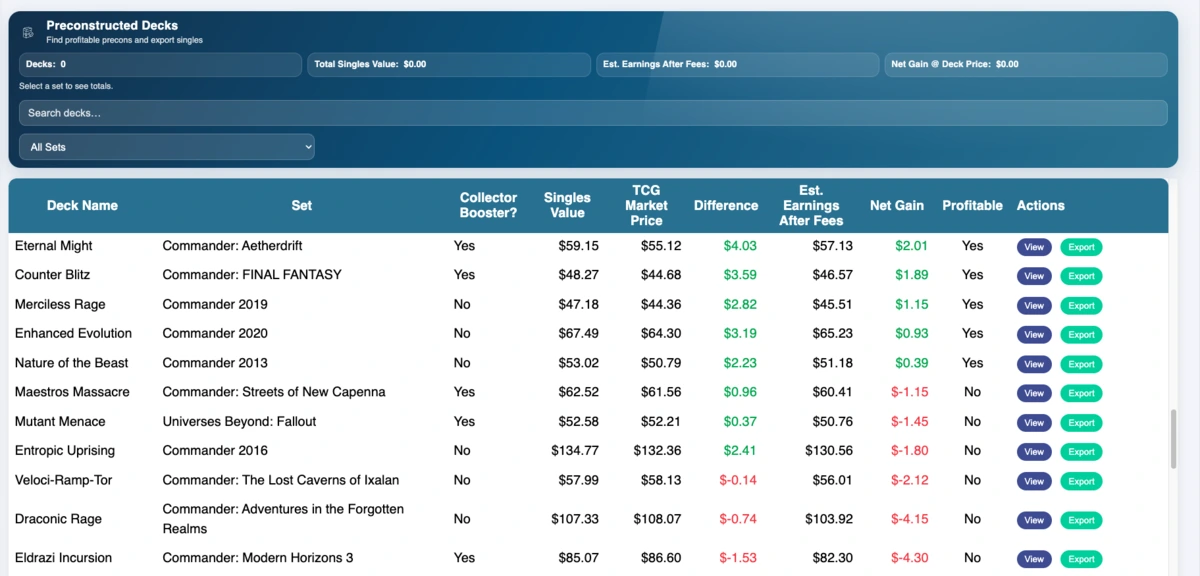
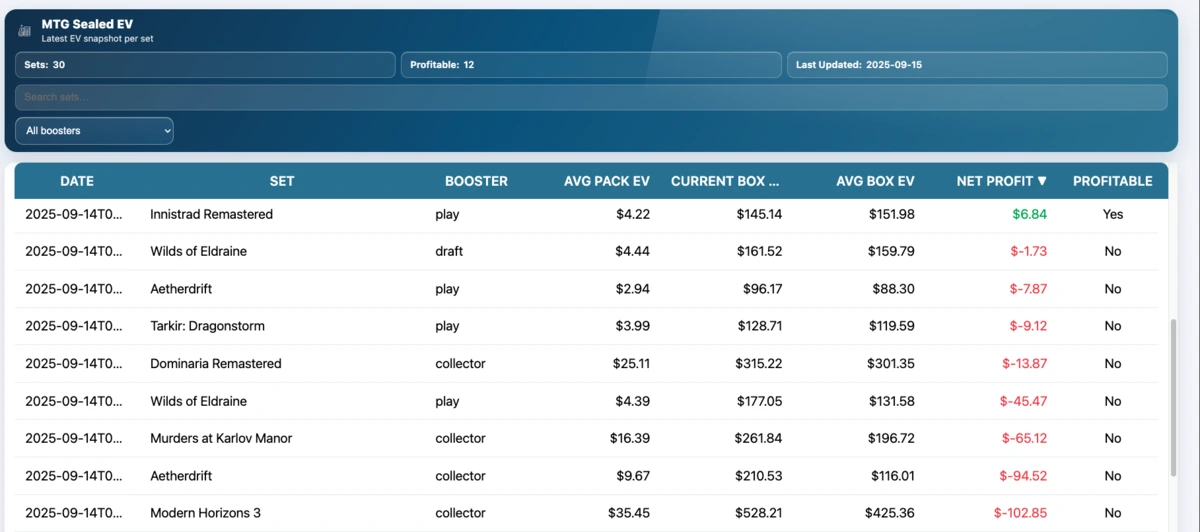
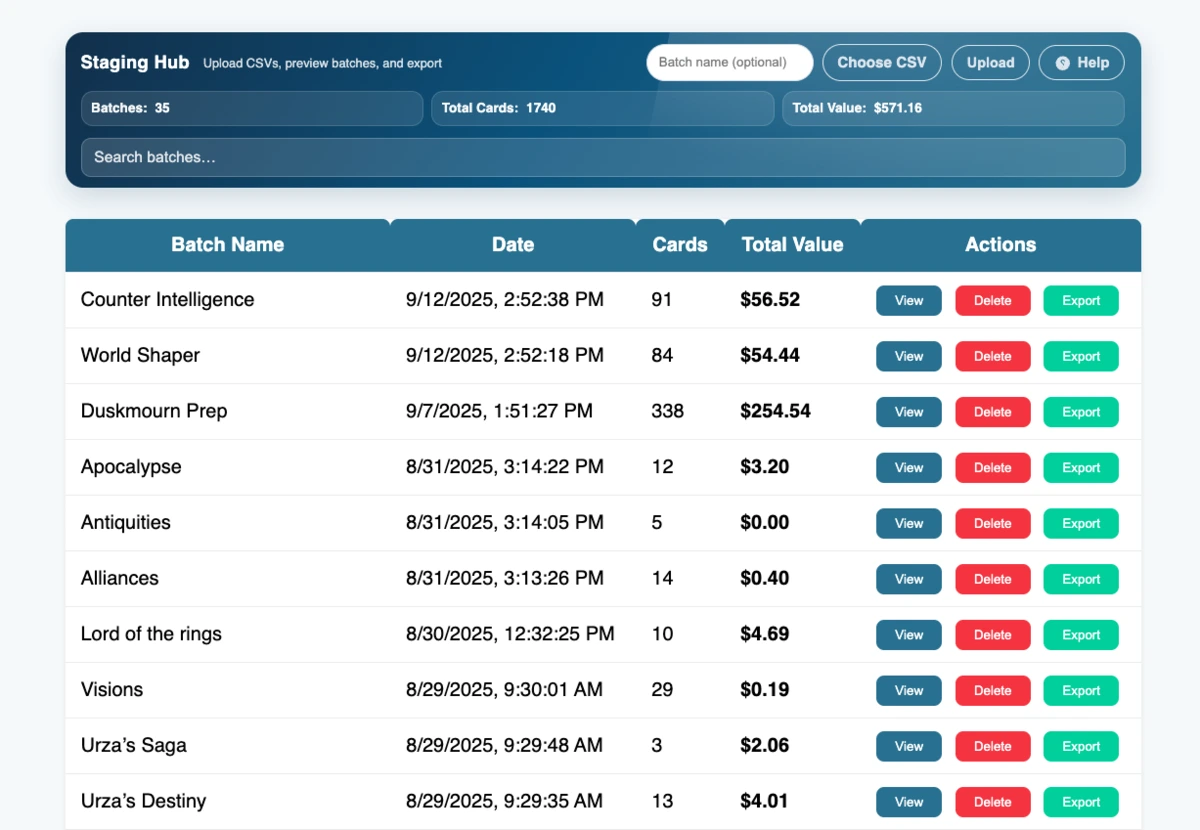
One operational platform across the biggest trading card games.
CardCipher is no longer limited to a single game. Build and manage inventory across Magic: The Gathering, Pokémon, One Piece, Flesh and Blood, Disney Lorcana, Digimon, Dragon Ball, and additional supported TCGs. Game-aware staging, searching, images, set information, and marketplace rules keep each catalog organized without forcing every workflow into a Magic-only model.
Sell where your customers already shop.
- Import and manage TCGplayer inventory and transaction workflows across supported games.
- Use ManaPool-specific pricing, inventory, and sales workflows for supported Magic products.
- Prepare marketplace pricing and quantity changes through reviewable, channel-specific queues.
- Keep quantities, pending changes, pricing decisions, and inventory exceptions visible before they become expensive mistakes.
From the first scan to the final shipment, every step stays connected.
CardCipher combines cataloging, physical organization, pricing, marketplace management, accounting, research, and fulfillment so your team can work from the same inventory truth.
Scan & source
Capture cards from a camera, uploaded images, PDFs, or imports, then use research and valuation tools to decide what is worth buying or listing.
Organize & locate
Commit reviewed cards into inventory, group acquisitions into lots, and assign every copy to a Chaos Container with a real physical location.
Price & publish
Review market and low-price references, schedule pricing updates, protect unusual values, and prepare marketplace listings through controlled queues.
Sell, pull & reconcile
Decrement inventory, generate container-aware pull lists, review flags, reconcile orders, calculate profit, and print shipping documents.
Multi-TCG inventory
Search, filter, price, and manage cards across supported games while preserving game-specific sets, variants, conditions, and marketplace rules.
AI scanning & imports
Use camera captures, images, PDFs, and structured imports to create reviewable staging batches before anything reaches live inventory.
Chaos Containers
Assign cards to named containers with IDs and capacities, then carry those locations into pull lists, staging, precon, and inventory workflows.
Marketplace sync
Coordinate TCGplayer and ManaPool quantities, pending changes, imports, sales decrements, and channel-specific listing behavior.
Scheduled pricing & safeguards
Run marketplace-specific pricing rules, review market and low references, exclude risky changes, and surface mismatches before publishing.
Order fulfillment
Generate container-aware pull lists, review order details, print receipts, track envelopes, and create browser-friendly 4×6 shipping labels.
Flags & notifications
Surface ambiguous sales, sync exceptions, stale listings, and inventory conflicts so important operational issues do not disappear in logs.
Profitability & records
Track transactions, fees, refunds, expenses, receipts, lots, shipping costs, and net earnings in one business view.
Research & fulfillment
Use analytics, precon tools, EV simulation, restock planning, pull lists, receipts, envelope tracking, and 4×6 label printing.
Know exactly where every card lives.
Inventory software usually tells you that a card exists. Chaos Containers also tells you where to find it. Build a storage map that matches your real operation, whether cards live in numbered boxes, shelves, drawers, binders, precon stations, or custom bins.
- Create custom container IDs, names, source types, and capacity limits.
- Assign cards during staging, inventory put-away, precon, and ongoing organization workflows.
- Display container locations directly on pull lists so orders can be picked faster.
- Preserve useful location history for transaction and removal workflows.
Scale without reorganizing everything at once.
Start with new inventory, a single shelf, or one product line, then expand container tracking over time. CardCipher supports gradual adoption so established stores can improve location accuracy without stopping normal sales and shipping operations.
- Capacity awareness helps prevent overfilled storage locations.
- Container filters make large pull lists and inventory searches easier to work through.
- Location data stays connected to the same inventory used by sales channels and transaction records.
Choose the level of power that matches your store.
Seller covers the connected operational tools most stores use every day. Pro includes everything in Seller, plus AI scanning, advanced research, sourcing, tracking, and higher-volume automation.
Daily operational tools for running your store more efficiently.
- Unlimited transactions and multi-TCG inventory
- Chaos Containers and container-aware pull lists
- Staging Hub, imports, lots, and custom exports
- Marketplace inventory and sales workflows
- Bulk and scheduled pricing controls
- Advanced inventory flags, notifications, and queue controls
- Container-aware pull lists and shipping workflow tools
- Expenses, earnings, receipts, and 4×6 label printing
- Deck tools, news access, and Seller Discord
Advanced tools for faster decision-making and greater operational leverage.
- Everything in Seller
- Multi-game AI card scanning from camera, images, and PDFs
- Envelope tracking and restock estimation
- CardCipher overlays for TCGplayer and ManaPool
- Advanced research, analytics, and sourcing tools
- Preconstructed deck valuation and EV simulation
- Higher-volume seller workflows and Pro Discord access
Choose the plan that matches your workflow.
Start free, move into Seller for connected inventory and store operations, and upgrade to Pro for AI scanning, overlays, deeper research, tracking, and advanced sourcing tools.
Hobby
A simple starting point for lighter usage and basic label and transaction workflows.
- Up to 80 transactions
- CSV imports
- 4×6 label printing
Seller
Best for stores that want full operational tools without stepping up to advanced Pro features.
- Unlimited transactions and multi-TCG inventory
- Chaos Containers and pull-list locations
- Staging Hub, lots, imports, and exports
- Marketplace quantity and sales workflows
- Bulk and scheduled pricing controls
- Inventory flags, alerts, and queue safeguards
- Container-aware pull lists and shipping tools
- Expenses, earnings, receipts, and 4×6 labels
- Seller Discord
Pro Seller
For higher-volume or more data-driven sellers who want maximum speed, insight, and automation.
- Everything in Seller
- Multi-game AI scanning from camera, images, and PDFs
- Envelope tracking and restock estimator
- CardCipher TCGplayer & ManaPool overlays
- Advanced research and analytics
- Preconstructed deck estimator and EV simulator
- Pro Discord
Common questions
A few quick answers to the questions sellers usually ask first.
What games does CardCipher support?
CardCipher supports inventory and seller workflows across many major trading card games, including Magic: The Gathering, Pokémon, One Piece, Flesh and Blood, Disney Lorcana, Digimon, Dragon Ball, and additional catalogs as they become available. Some marketplace or research features are game-specific.
What are Chaos Containers?
Chaos Containers are CardCipher's physical inventory-location system. You can create named boxes, shelves, bins, drawers, binders, or other containers, set capacities, assign cards to them, and show those locations on inventory searches and order pull lists.
Can CardCipher scan cards for more than Magic?
Yes. Pro scanning workflows are designed for supported TCGs and can work from camera captures, uploaded images, and PDFs. Scanned cards enter a reviewable staging workflow so you can verify game, set, card, condition, foil, and quantity details before committing them.
Does CardCipher support TCGplayer and ManaPool?
Yes. TCGplayer workflows are available across supported catalogs, while ManaPool tools are used for supported Magic inventory. CardCipher keeps channel-specific quantities, pricing, imports, pending changes, sales decrements, and operational exceptions visible in one platform.
Does CardCipher change prices automatically?
Only when you enable and configure scheduled pricing. Marketplace settings remain separate, and CardCipher can preview changes, exclude questionable rows, compare pricing references, and flag potential mismatches so you remain in control of what is published.
How does CardCipher protect inventory sync?
CardCipher uses pending queues, channel-specific controls, inventory flags, notifications, and exception handling to surface ambiguous sales, stale listings, pricing conflicts, and other situations that should be reviewed instead of silently pushed.
What is included in Seller vs Pro?
Seller focuses on daily operations such as multi-TCG inventory, Chaos Containers, staging, pricing, marketplace workflows, transactions, profitability, pull lists, and shipping. Pro adds AI scanning, overlays, envelope tracking, restock planning, advanced research, precon analysis, and EV tools.
Can I track expenses, receipts, and profit?
Yes. CardCipher includes tools for logging expenses, associating receipts or PDFs, reviewing fees and refunds, tracking lots and transactions, and calculating clearer net business results.
Which label printers and browsers are supported?
CardCipher generates standard 4×6 print views that work with common thermal printers such as Zebra and Rollo through the browser. Current Chrome, Edge, and Safari versions are recommended, with higher-volume workflows best suited to desktop.